

Before you start
You need to own a domain. You can buy one from a domain provider, like GoDaddy, Namecheap, Cloudflare, or Squarespace. Decide which kind of address you want:- Root domain: your main address, like
example.com. - Subdomain: an address that starts with something extra, like
www.example.comordesign.example.com.
Connect your domain
1
Open Publish.
Follow the first step on Publish your site to open the Publish window.
2
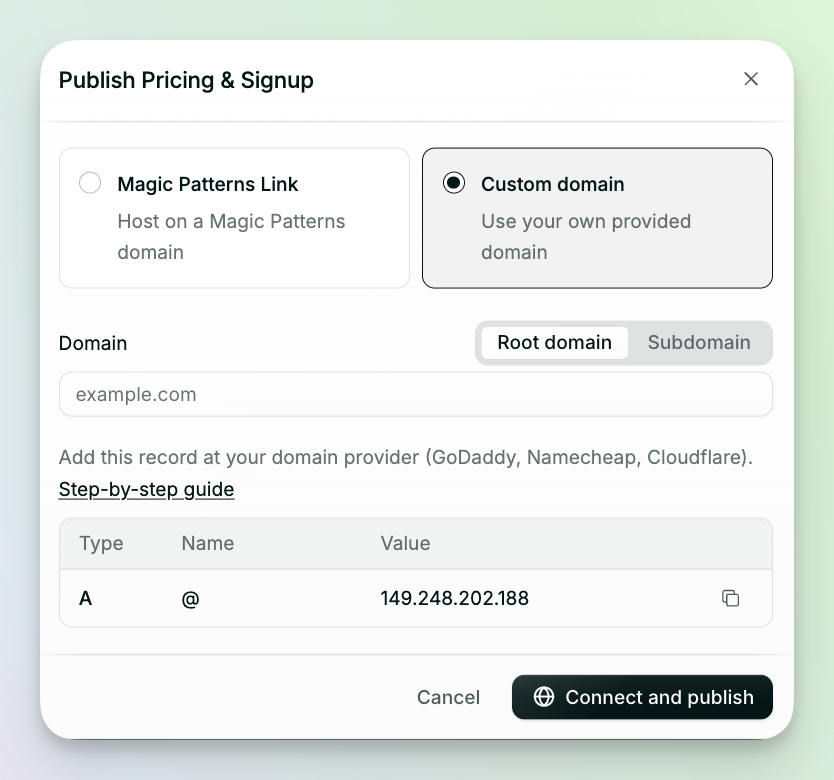
Choose Custom domain.
3
Choose Root domain or Subdomain, then type your domain.
4
Add the record to your domain provider.
The Publish window shows a record to copy. Log in to your domain provider, find the DNS settings (often called “DNS Management” or “Advanced DNS”), and add the record.For a root domain, add:
Delete any other A records for your domain first, or it won’t work. Some providers, like Wix, use a blank space instead of @.For a subdomain, add:
Replace
www with your subdomain. For design.example.com, use design.5
Click Connect and publish.
Already published?
If your design is already live on a Magic Patterns link, open Link settings and click Connect a domain next to Custom domain. Then follow steps 3 to 5 above.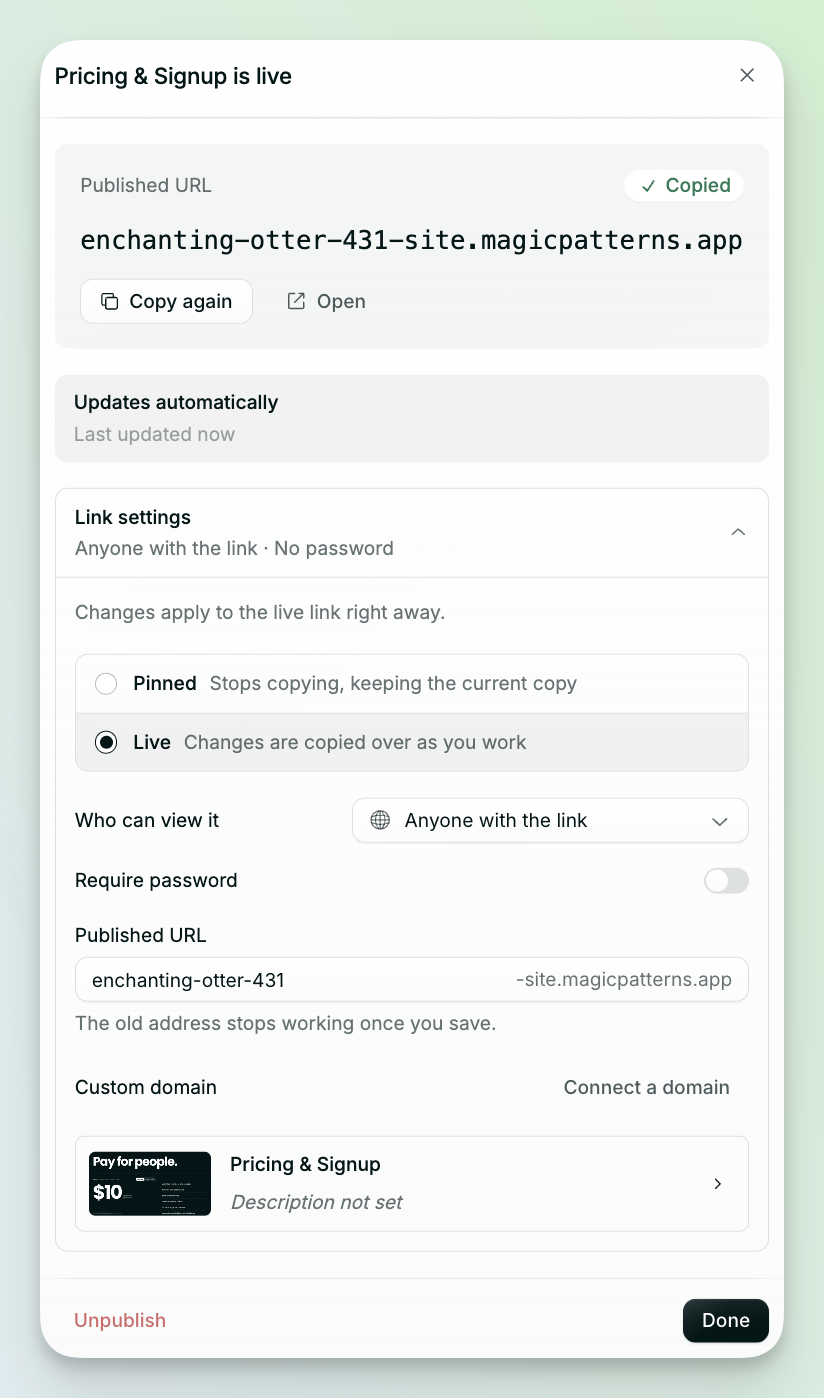
Check if your domain is ready
- Root domain: go to whatsmydns.net, type your domain, and check it shows
149.248.202.188. - Subdomain: go to whatsmydns.net, type your subdomain, and check it shows
magicpatterns.dev.
Common questions
My domain still isn't working after 24 hours.
My domain still isn't working after 24 hours.
For a root domain, check you deleted all the old A records. This is the most common problem. Then check your domain on whatsmydns.net using the steps above. If it shows a different value or no record, the record wasn’t added correctly.
My subdomain isn't working.
My subdomain isn't working.
Make sure you added a CNAME record, not an A record.
Which domain providers work with Magic Patterns?
Which domain providers work with Magic Patterns?
All of them, including GoDaddy, Namecheap, Cloudflare, Squarespace, and Wix.
Will my site be secure (HTTPS)?
Will my site be secure (HTTPS)?
Yes. We set this up automatically for every custom domain.
How do I hide the Built with Magic Patterns badge?
How do I hide the Built with Magic Patterns badge?